This post was originally published on Neowin
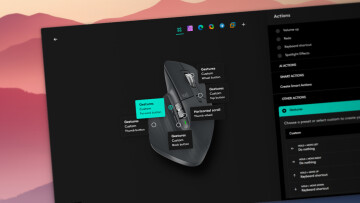
Logitech has released a new version of the Options+ app that upgrades the Easy-Switch feature, allowing easier accessory switching between PCs. Enhanced Easy-Switch is available in Logitech Options+ version 2.3.875545. The gist is simple: press one key on your keyboard and both the mouse and keyboard switch to another device.
Most Logitech mice have the Easy-Switch button located on the bottom, which makes profile switching much less convenient than pressing a keyboard key. Now, with Enhanced Easy-Switch, you can press a device key on your keyboard to switch both devices to your second or third computer.
Enhanced Easy-Switch is available on mice and keyboards that support Bluetooth and Bolt. Unifying and Bluetooth-only accessories are not supported. All mice with Bolt connection support Enhanced Easy-Switch, while compatible keyboards only include MX Keys S, MX Keys S for Mac, MX Keys Mini, MX Keys Mini for Mac, and MX Keys Mini for Business. As for supported platforms, the new feature is only available on Windows and macOS.
Enhanced Easy-Switch has a few other limitations, which you can check out in the official documentation. However, if you only use your keyboard and mice with PCs/Macs,
— Read the rest of this post, which was originally published on Neowin.